User Management
User Management
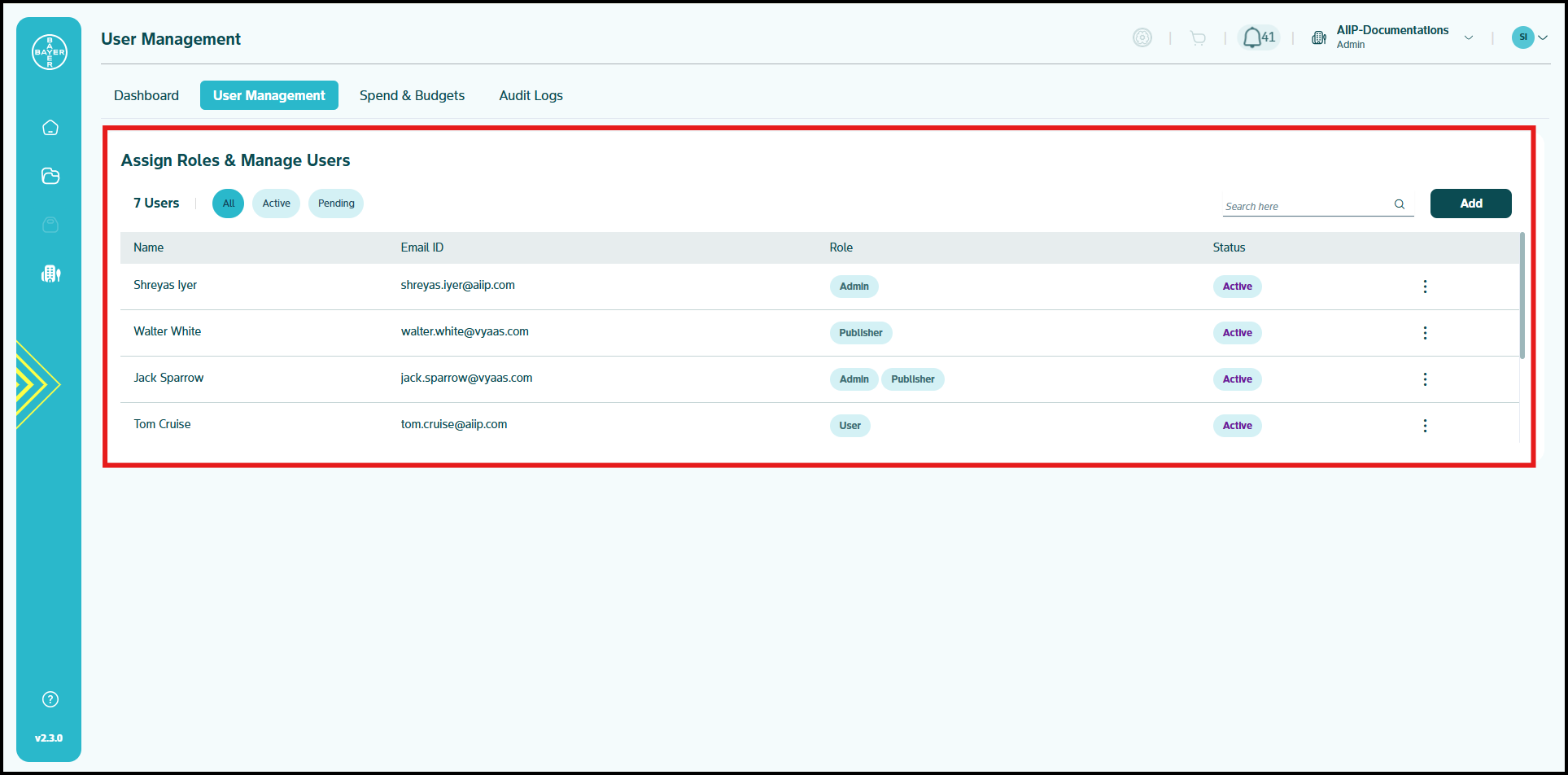
The intuitive dashboard provides a clear overview of your tenant's users.
Finding and Filtering Users
Locate specific team members with powerful filtering tools:
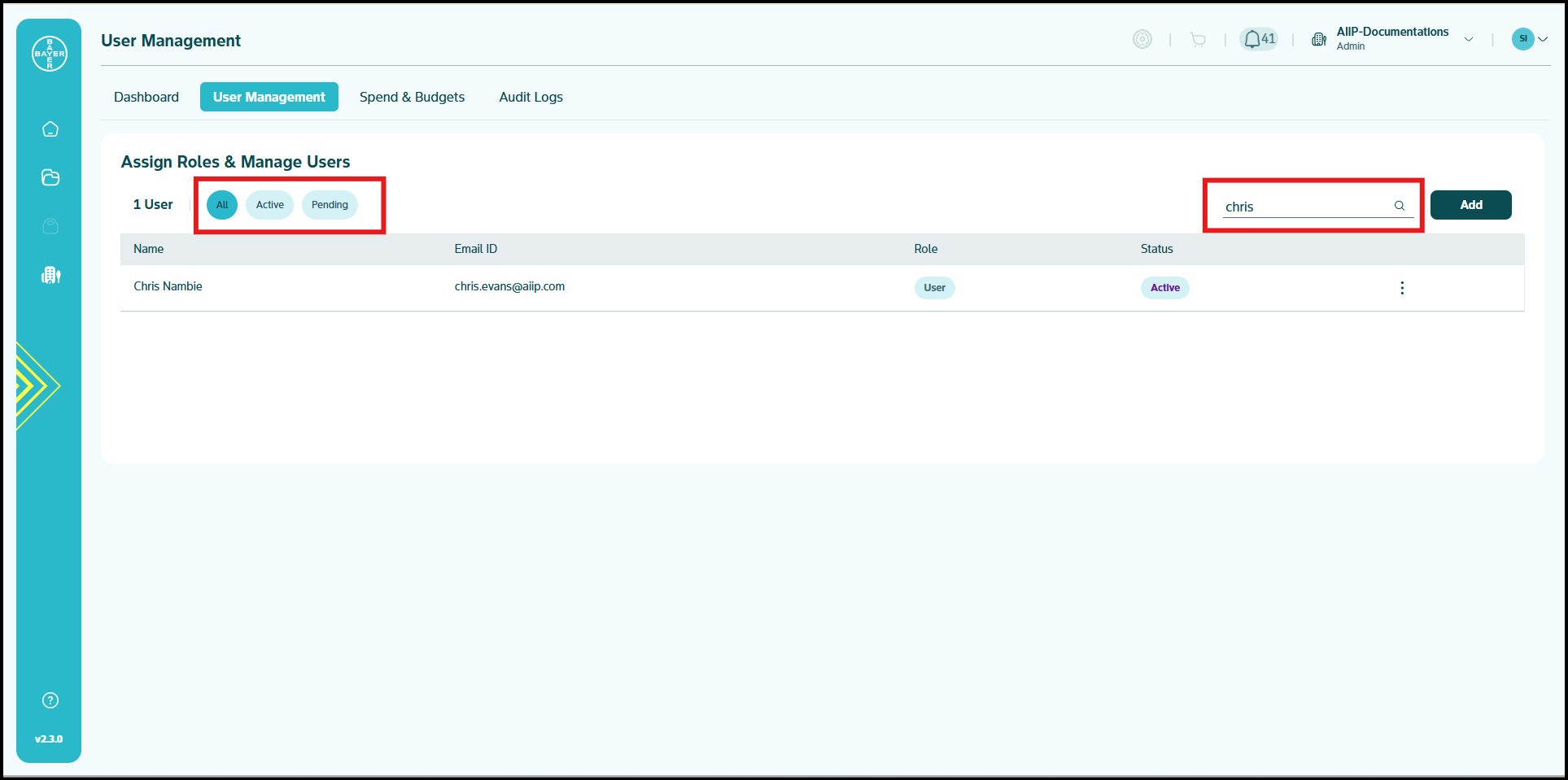
- Toggle between user status views (All/Active/Pending)
- Use real-time search to find users by name or email
- View comprehensive user information in an organized table
-
Monitor each user's current status
Expanding Your Team/Adding Users
Add new users with a streamlined process:
-
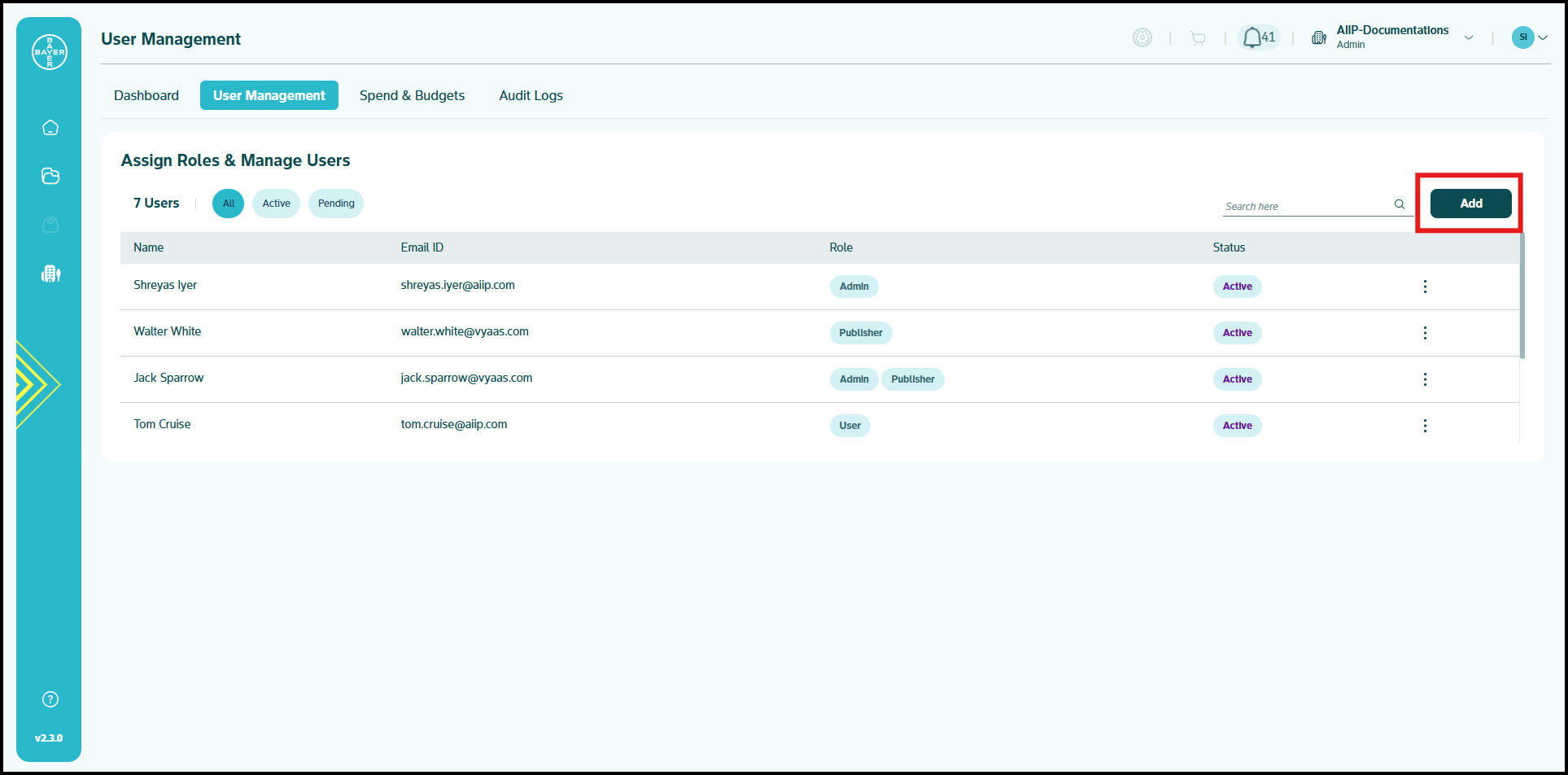
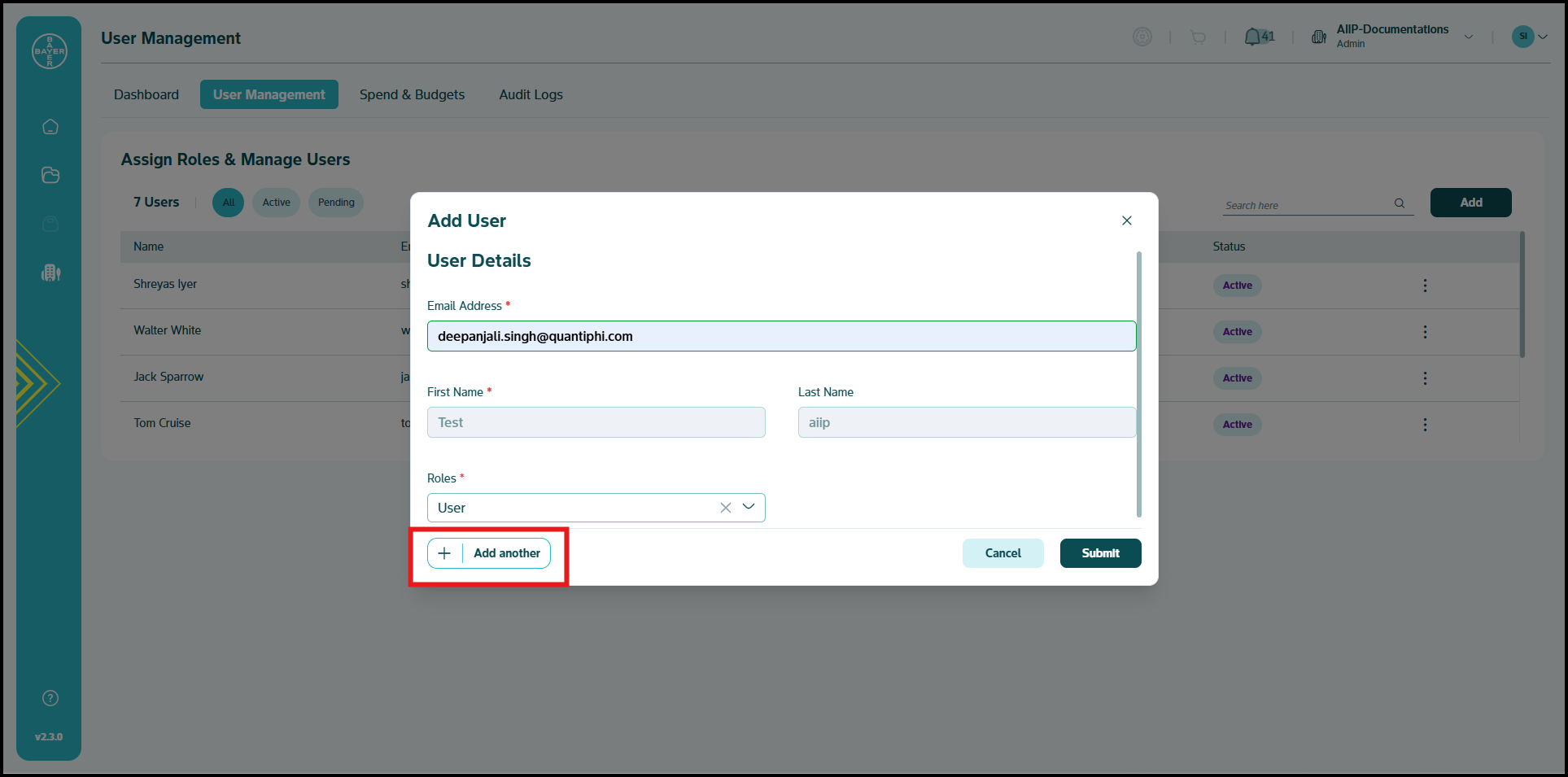
Click the "Add" button to launch the registration form
-
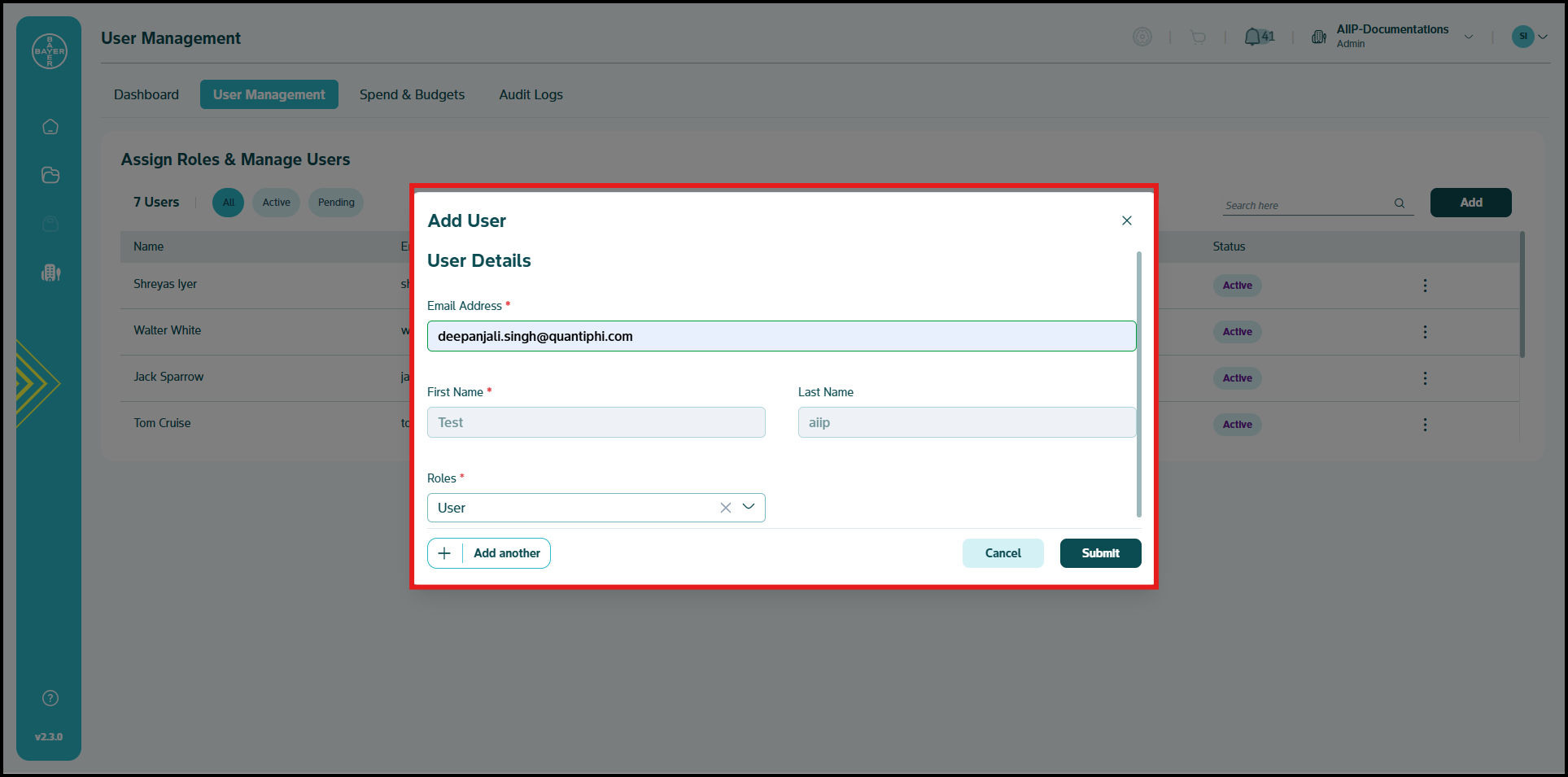
Enter user details:
- Email address
- First and last name
- Appropriate role assignment
-
Use the "Add Another" button to include multiple users in a single session
-
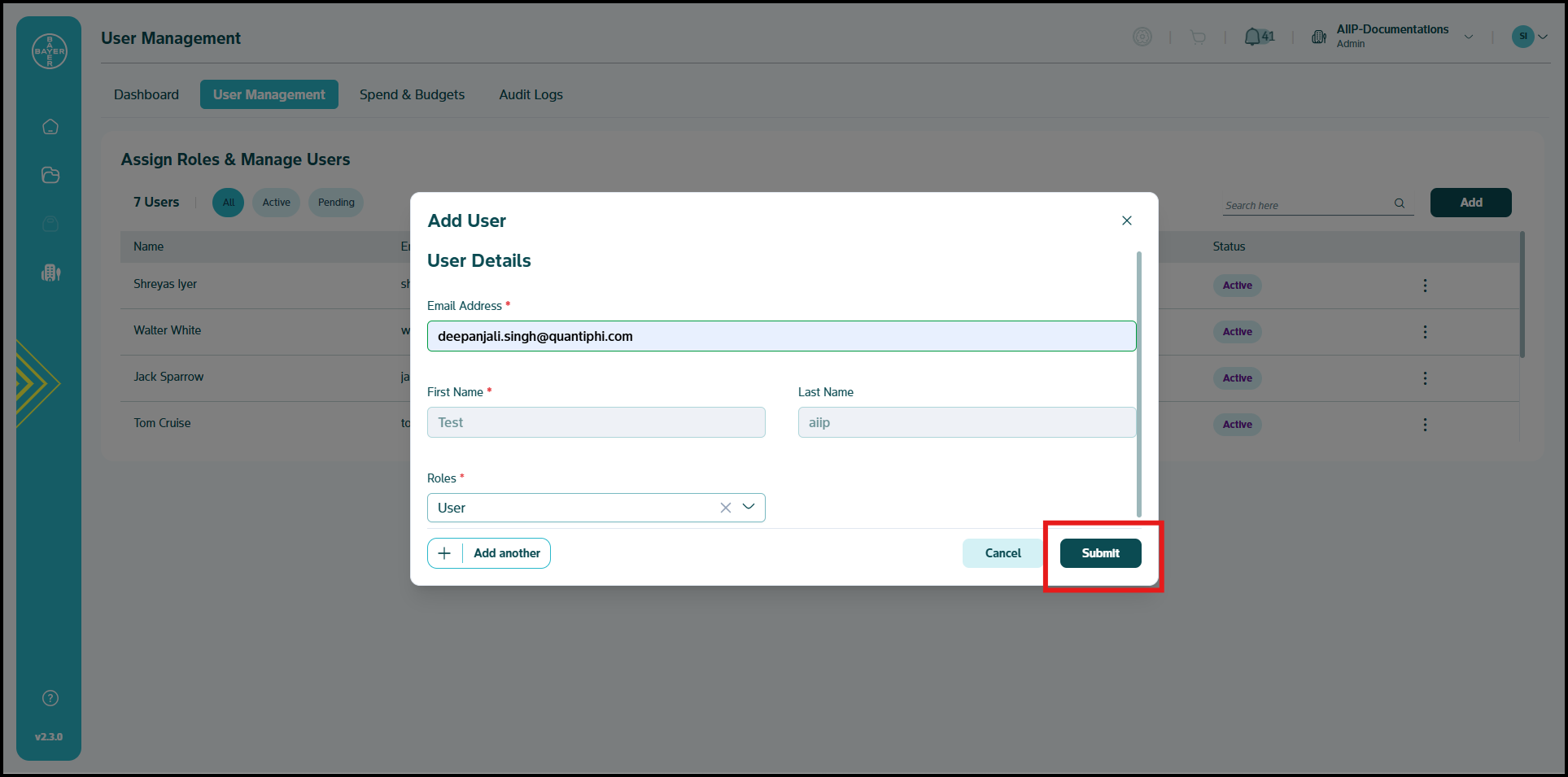
Click "Submit" when all user details are complete
Editing and Removing Users
Modify or remove users through these simple actions:
-
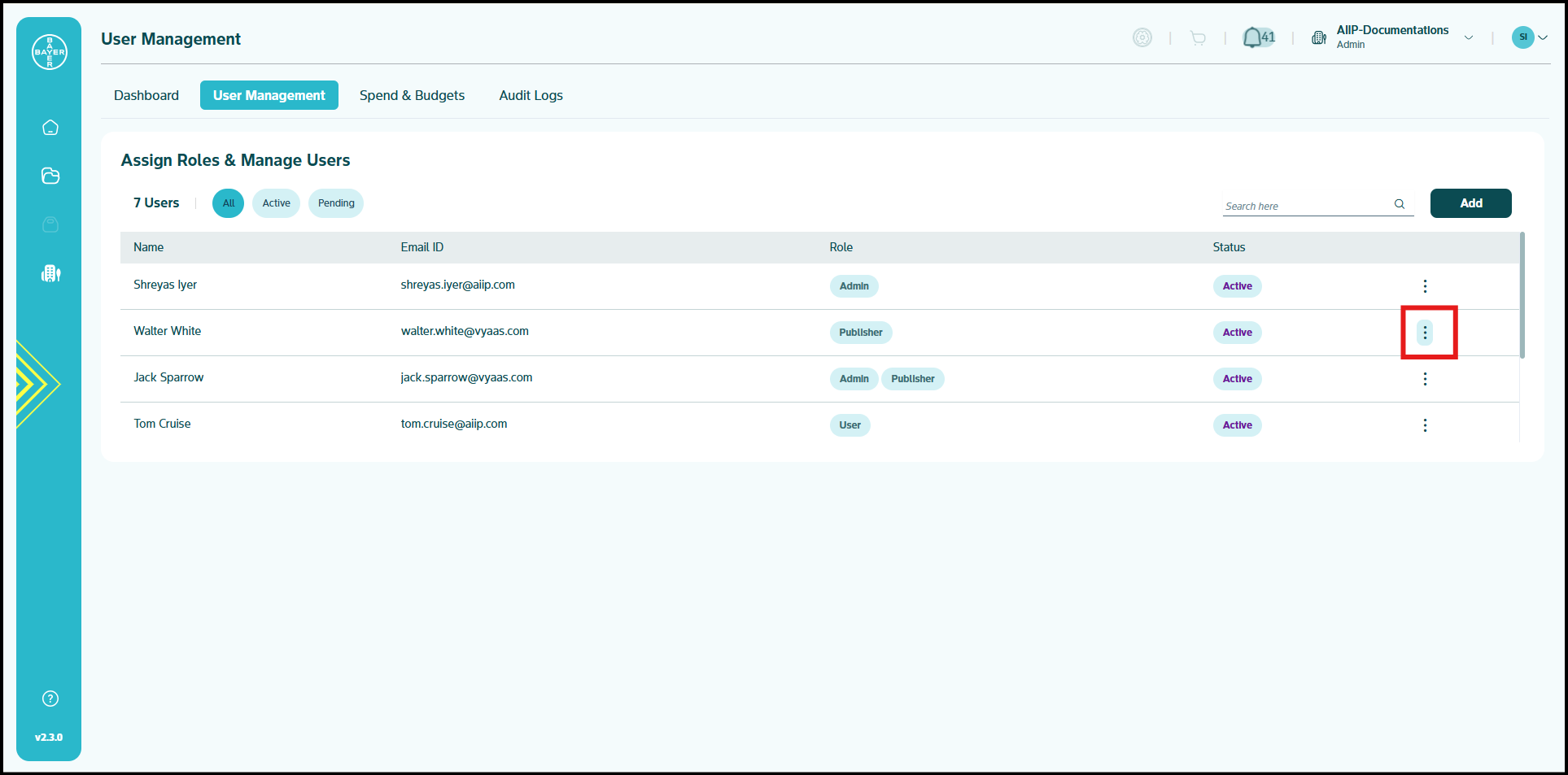
Locate the user in your management table
-
Click the three-dot menu icon in the status column
-
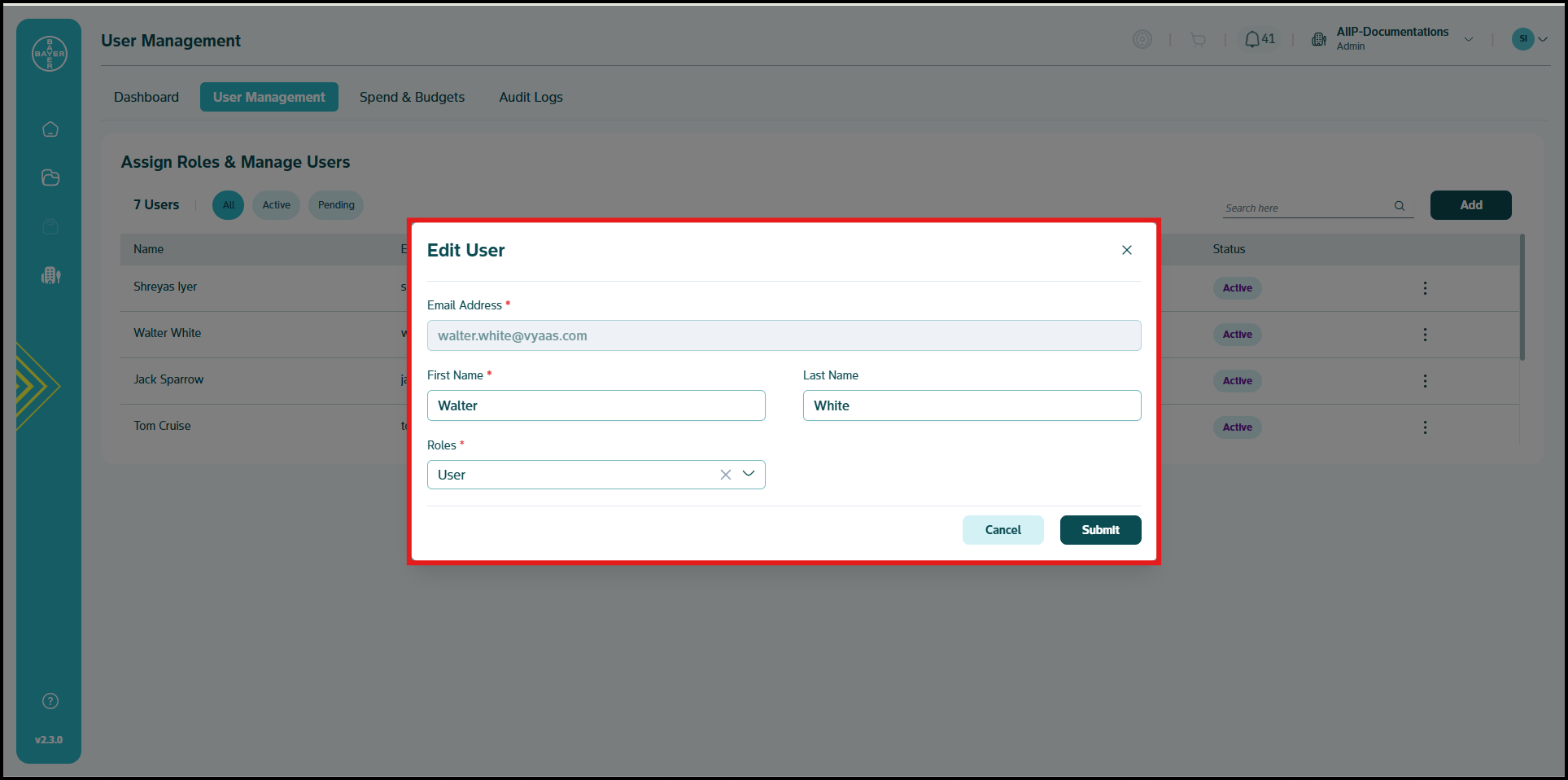
Select from available options:
- Edit: Update the user's name or role assignment and click "Submit" to save changes
- Remove: Revoke the user's access to your tenant
-
Changes will take effect immediately across your tenant environment
Understanding User Roles
Assign the appropriate access level to each team member:
- Admin: Full management capabilities for tenant settings and user control
- User: Standard platform access for everyday work and project participation
Note
Each tenant must maintain at least one tenant admin at all times. If your tenant has only one user, that user must be assigned the admin role.
Each role is designed to provide precisely the right permissions needed for different responsibilities, balancing security with productivity.
Best Practices
- Assign roles based on actual user responsibilities rather than organizational titles
- Maintain a current list of admins to ensure continuity of tenant management
- Consider starting new users with basic access, upgrading as their needs evolve
With these powerful tools, you can maintain complete control over your tenant while ensuring everyone has exactly the resources they need to succeed.