Onboarding
When you first engage with the AI Innovation Platform, you are registered as a free tier user. This allows you to explore many features. However, certain actions that involve costs or advanced capabilities will trigger a notification, indicating the need for a license upgrade.
You will encounter this notification if you attempt to:
- Create a new project: Initiating a development environment.
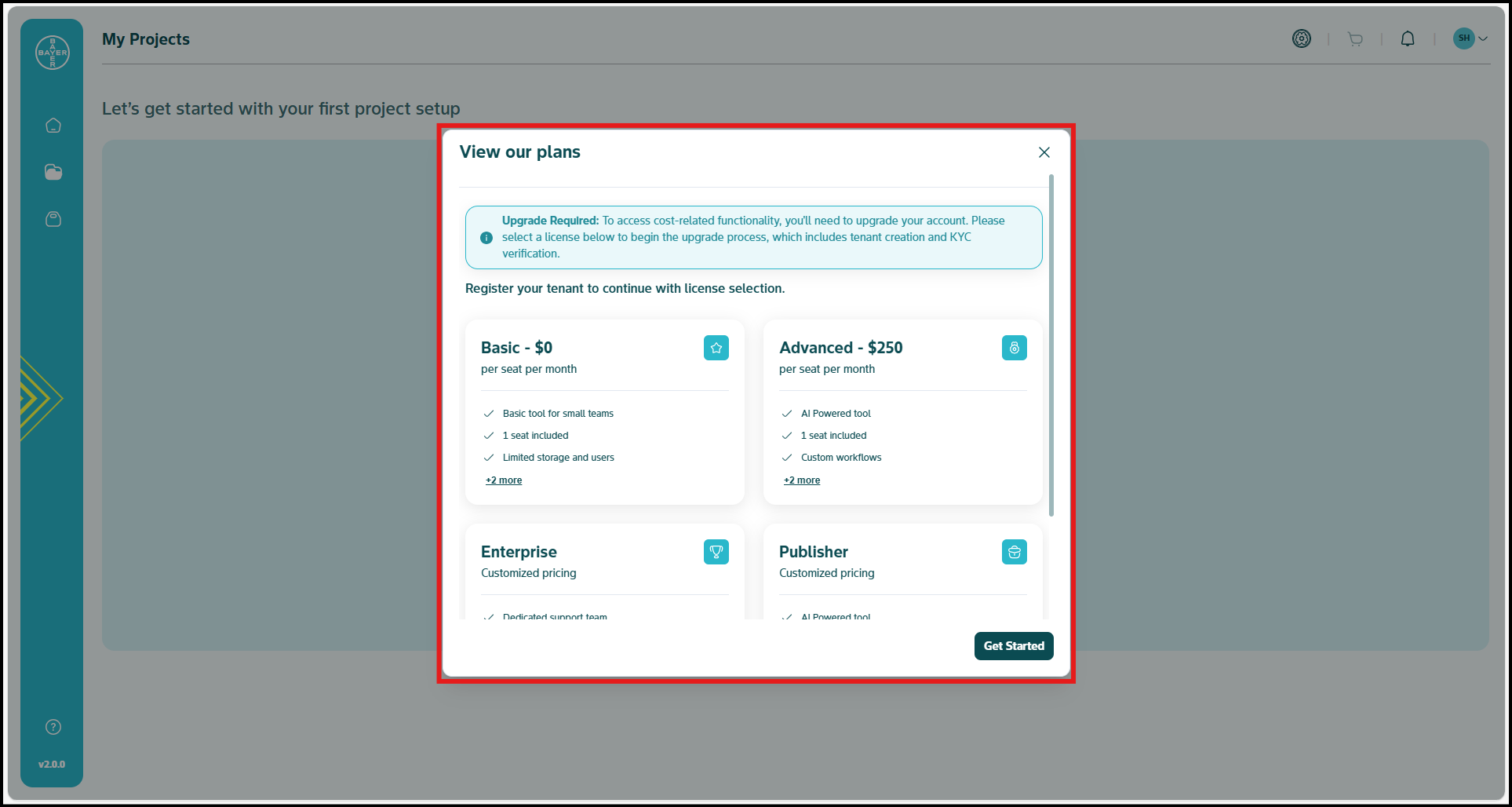
- Purchase an item from the Marketplace: Accessing premium models, datasets, or services.
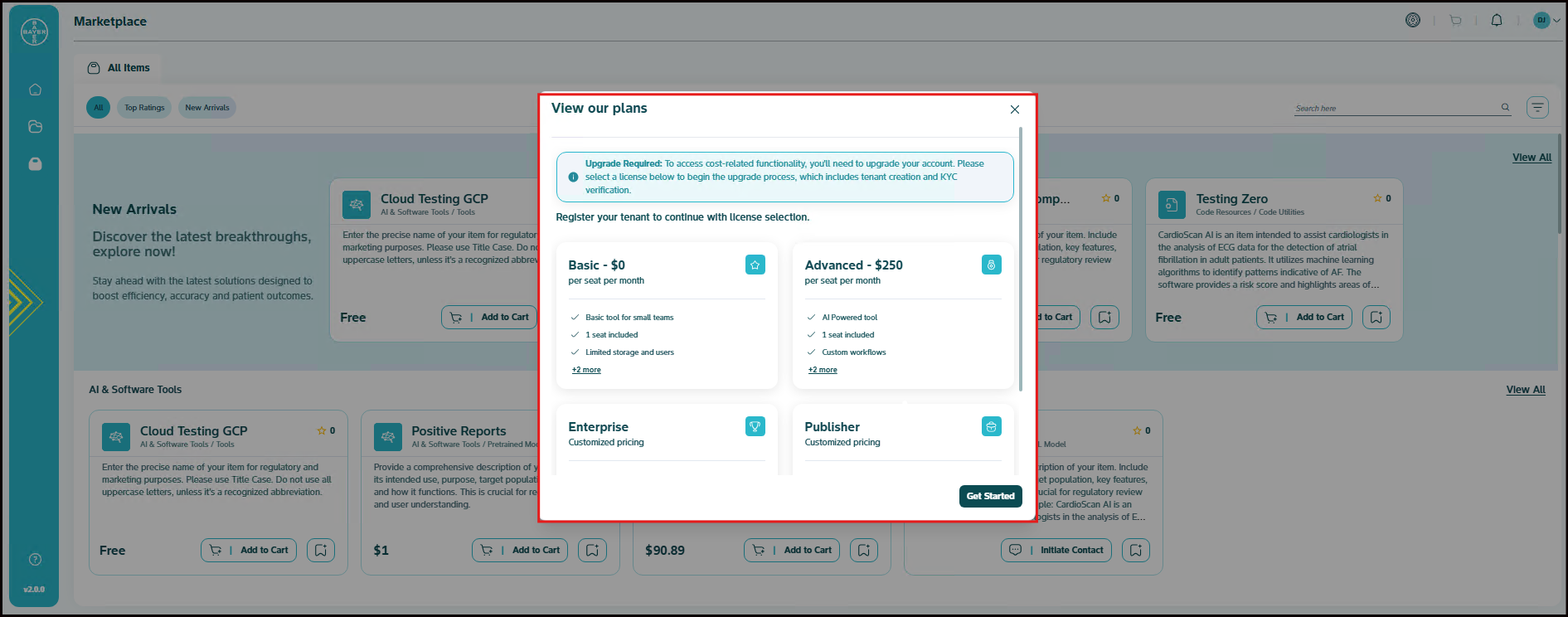
- Utilize full capabilities of the Digital Assistant: Beyond basic interactions.
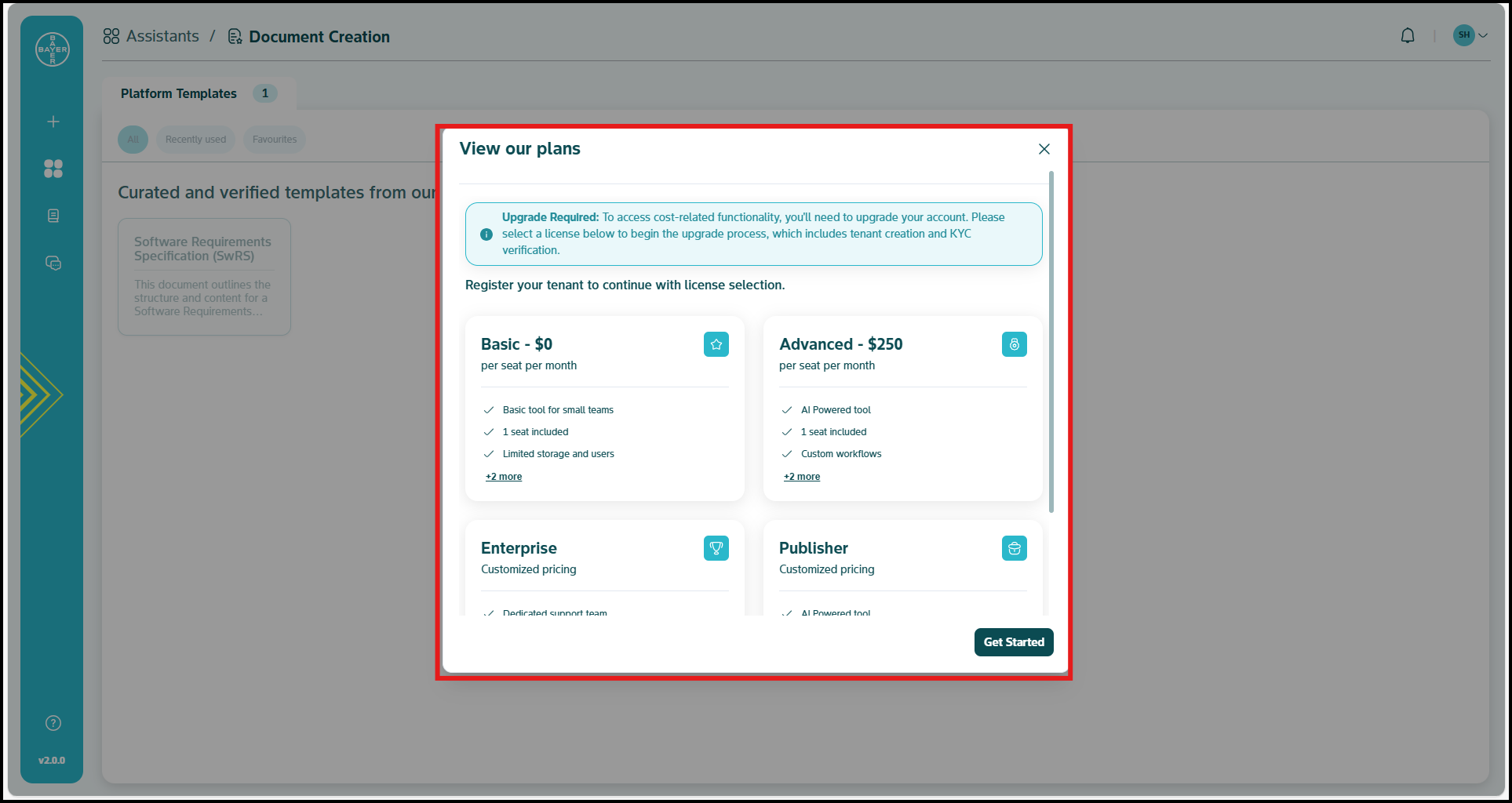
To unlock the full potential of the platform and remove these limitations, you can easily choose to upgrade to a license plan.
Unlock Full Access: Your Seamless Upgrade & Onboarding
To transition from a free tier user to a fully licensed user and access all extended features, follow this streamlined onboarding process. This flow is triggered whenever you attempt an action that requires an license plan:
Initiate Your Upgrade
- When you attempt an action that requires an license plan (e.g., purchasing a Marketplace item or creating a new project), an interface element will appear, presenting you with an option to "View our plans."
- This step is essential to unlock advanced, cost-related functionalities across the platform.
- Selecting a license will seamlessly guide you through the complete upgrade process, including setting up your dedicated tenant environment and completing necessary KYC verification.
Select Your License Plan
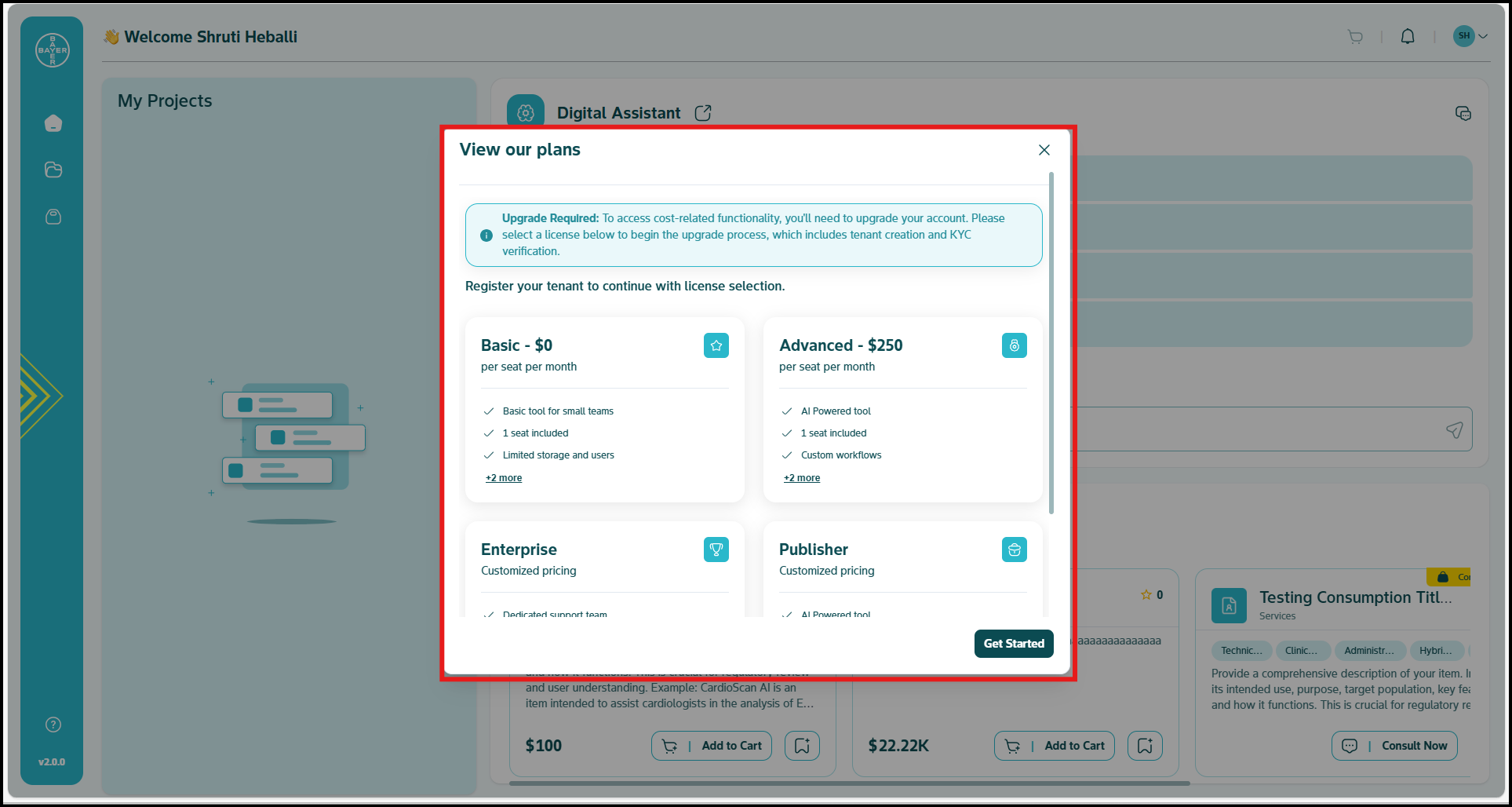
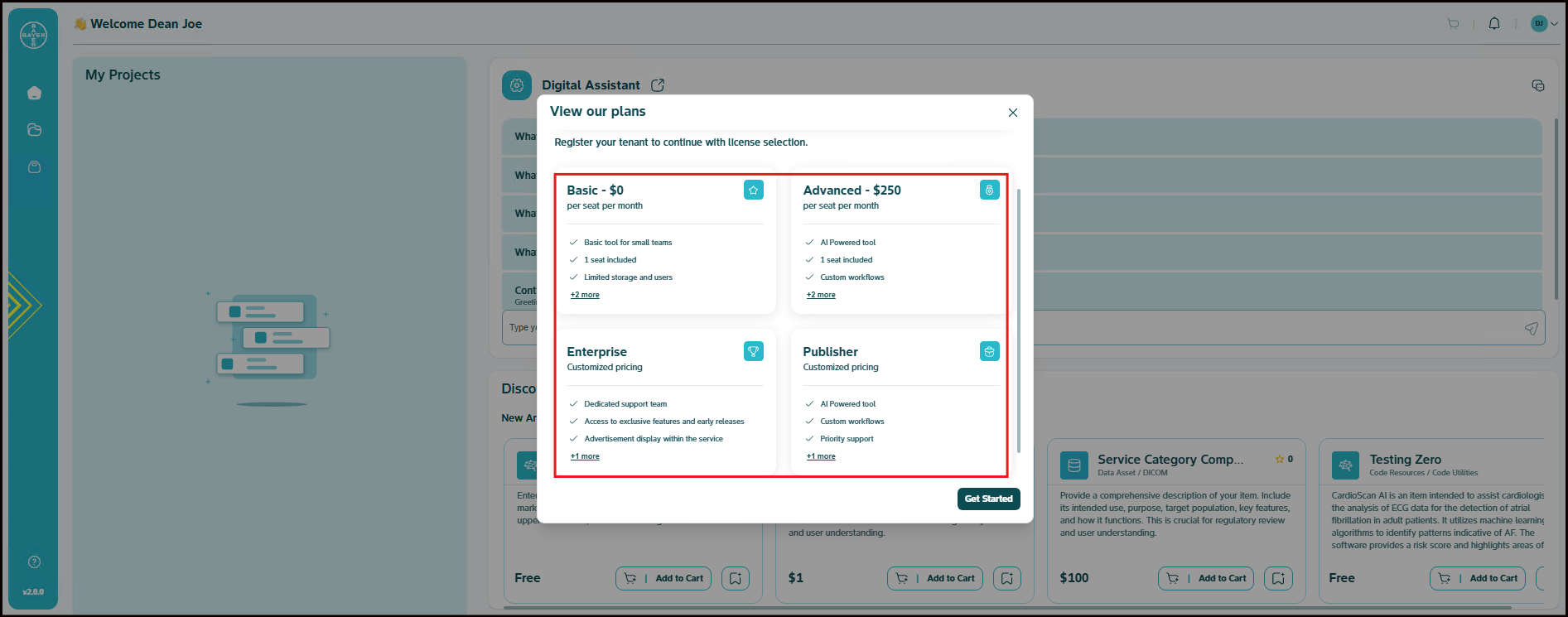
- Upon choosing to "View our plans," a dedicated section will display various license packages designed to meet different needs.
-
Review the features and benefits of each plan carefully:
a. Basic - $0 per seat per month: Ideal for small teams, includes 1 seat, limited storage and users.
b. Advanced - $250 per seat per month: Includes AI Powered tools, 1 seat, and custom workflows.
c. Enterprise - Customized pricing: Offers dedicated support and tailored solutions.
d. Publisher - Customized pricing: Designed for users who wish to publish and monetize their own AI Powered tools. -
Review the plan that best suits your requirements.
Note
For Enterprise and Publisher licenses, System Admins will handle user onboarding to ensure a smooth setup process.
Proceed to Onboarding
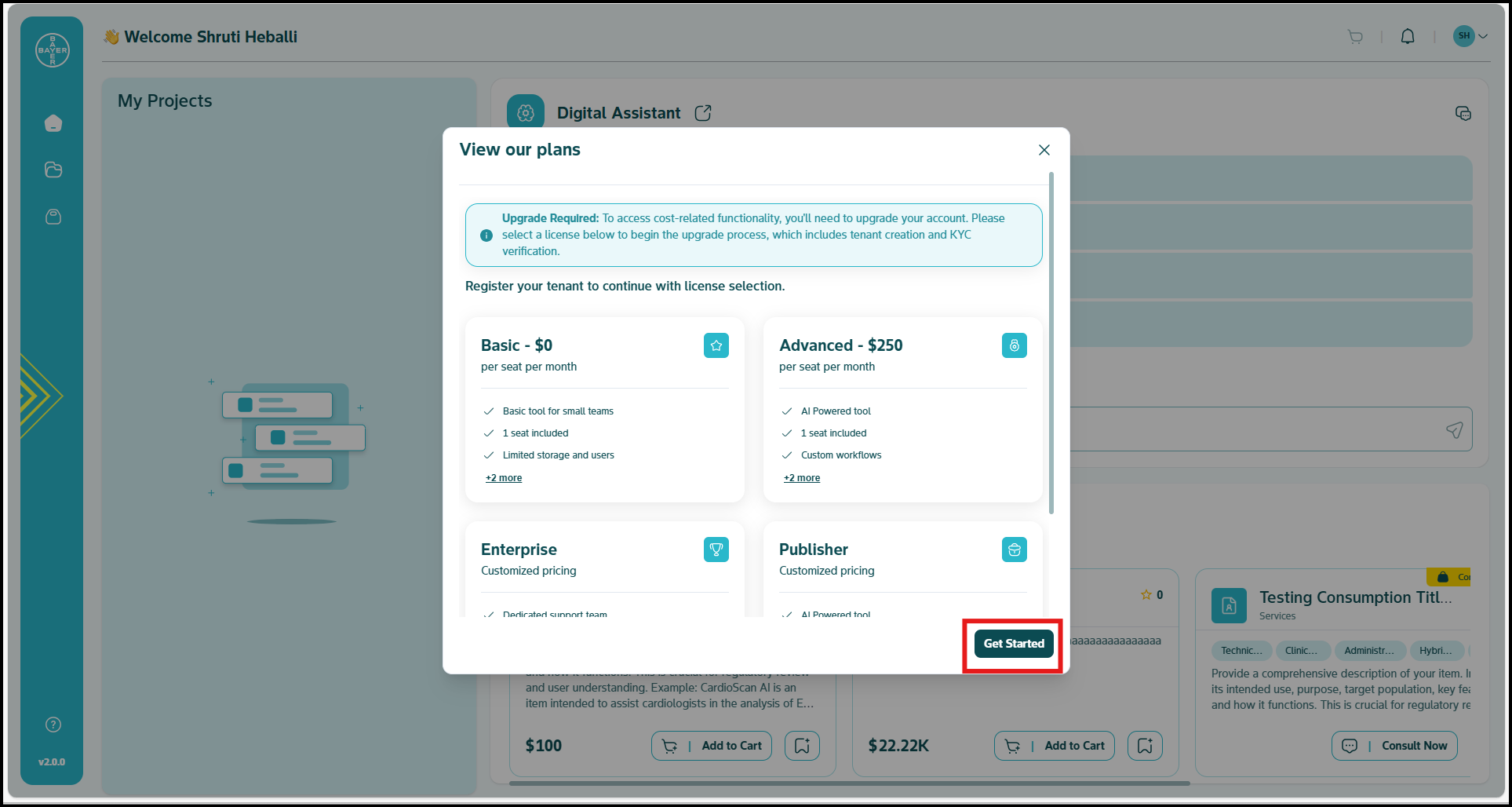
- After reviewing the plans and making your selection, click the "Get Started" button.
- This action will initiate the formal onboarding process, guiding you through tenant creation and KYC verification.
Set Up Your Tenant Details
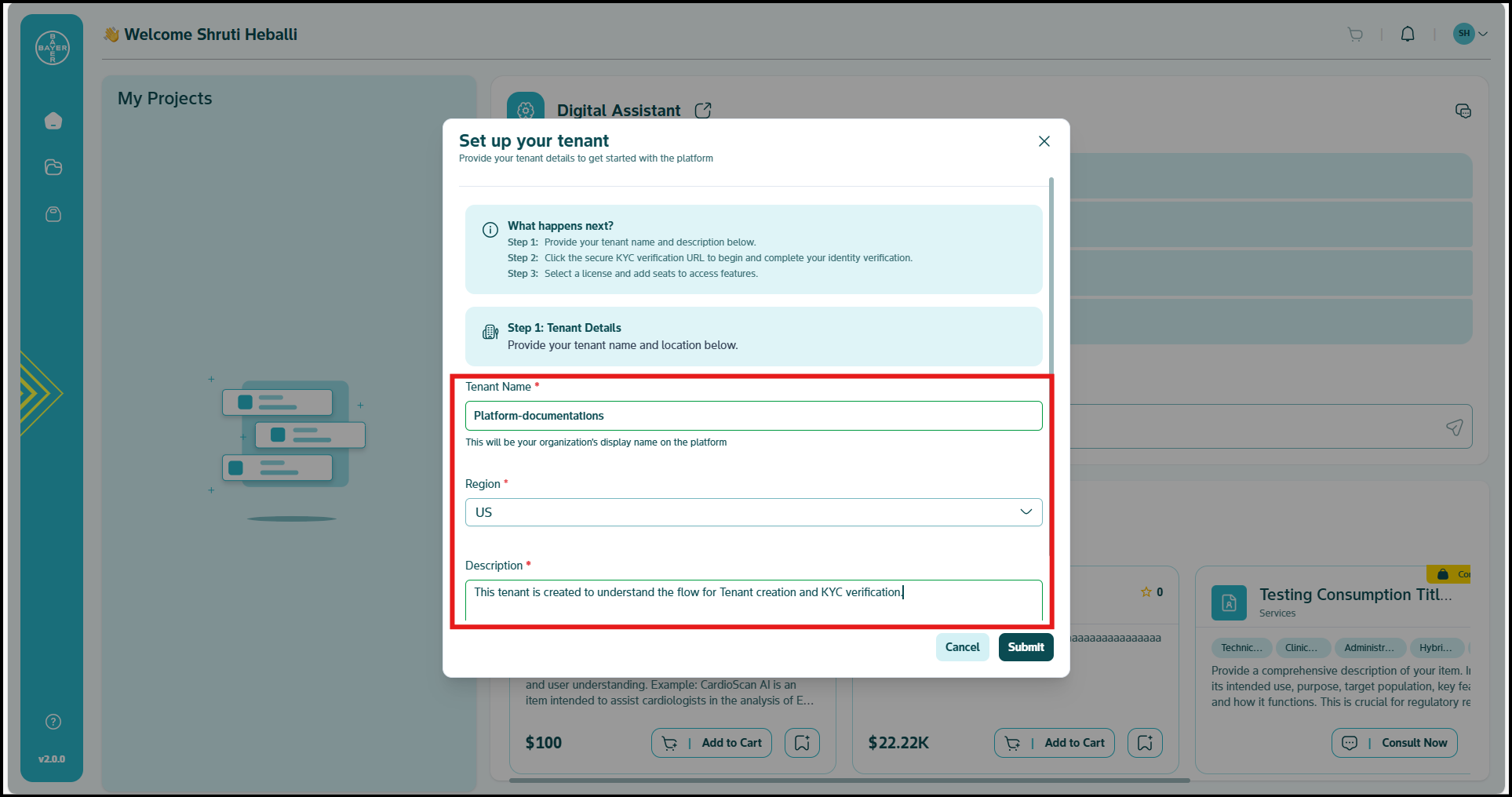
- A form titled "Set up your tenant" will be presented, guiding you through the initial setup. This step involves providing essential details for your dedicated tenant environment.
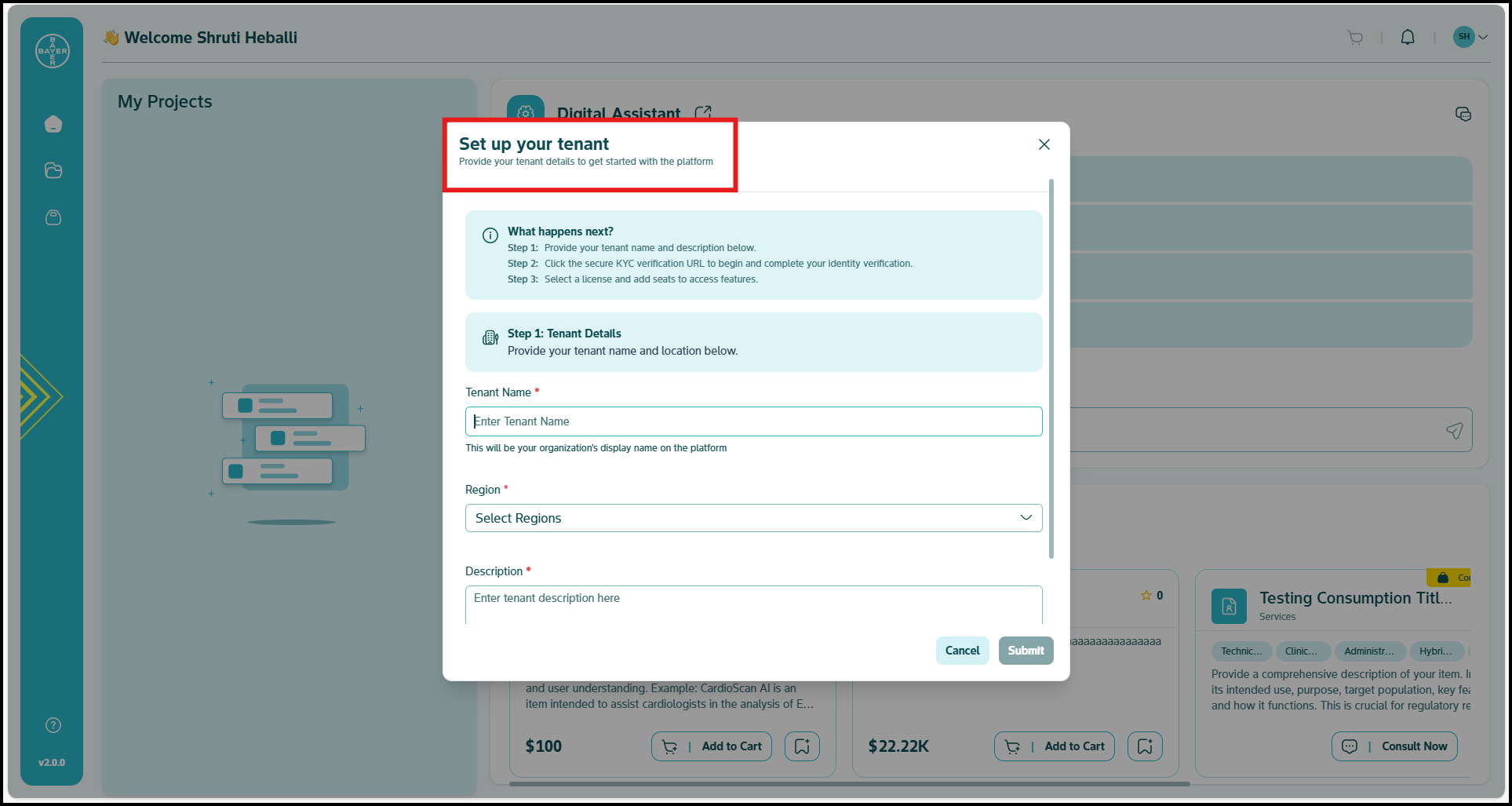
- The form outlines the upcoming steps:
Step 1: Provide your tenant name and description.
Step 2: Complete your identity verification via a secure KYC verification URL.
Step 3: Review the license plans and contact team if access is needed.
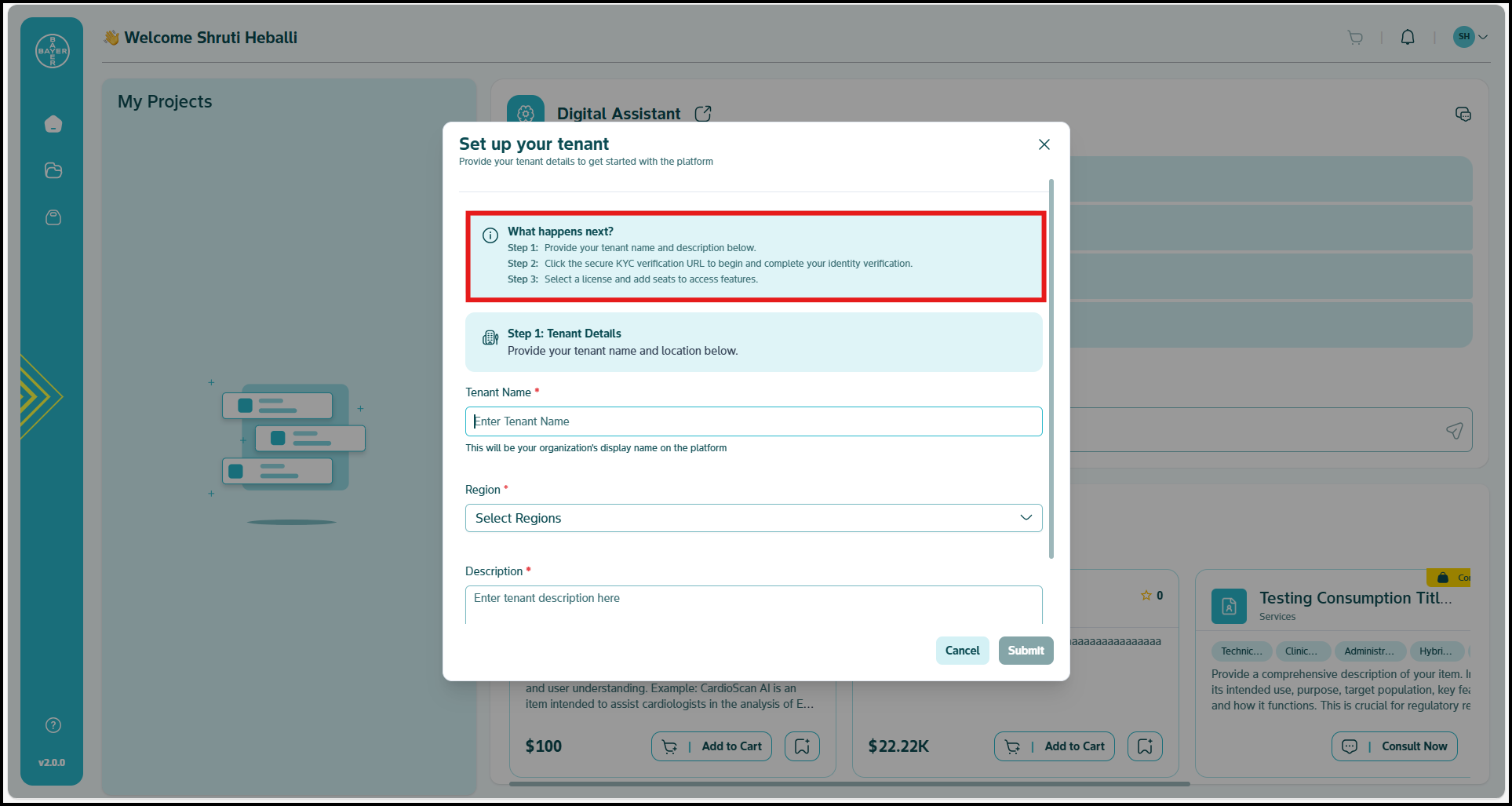
- Tenant Details Required:
a. Tenant Name: Enter your desired tenant name. This will be your organization's display name on the platform. This field is required.
b. Region: Select the geographical region for your tenant from the dropdown menu. This field is required.
c. Description: Provide a brief description for your tenant. - Once you have filled in all the required information, click the "Submit" button to proceed.
Tenant Created & Proceed to Verification
-
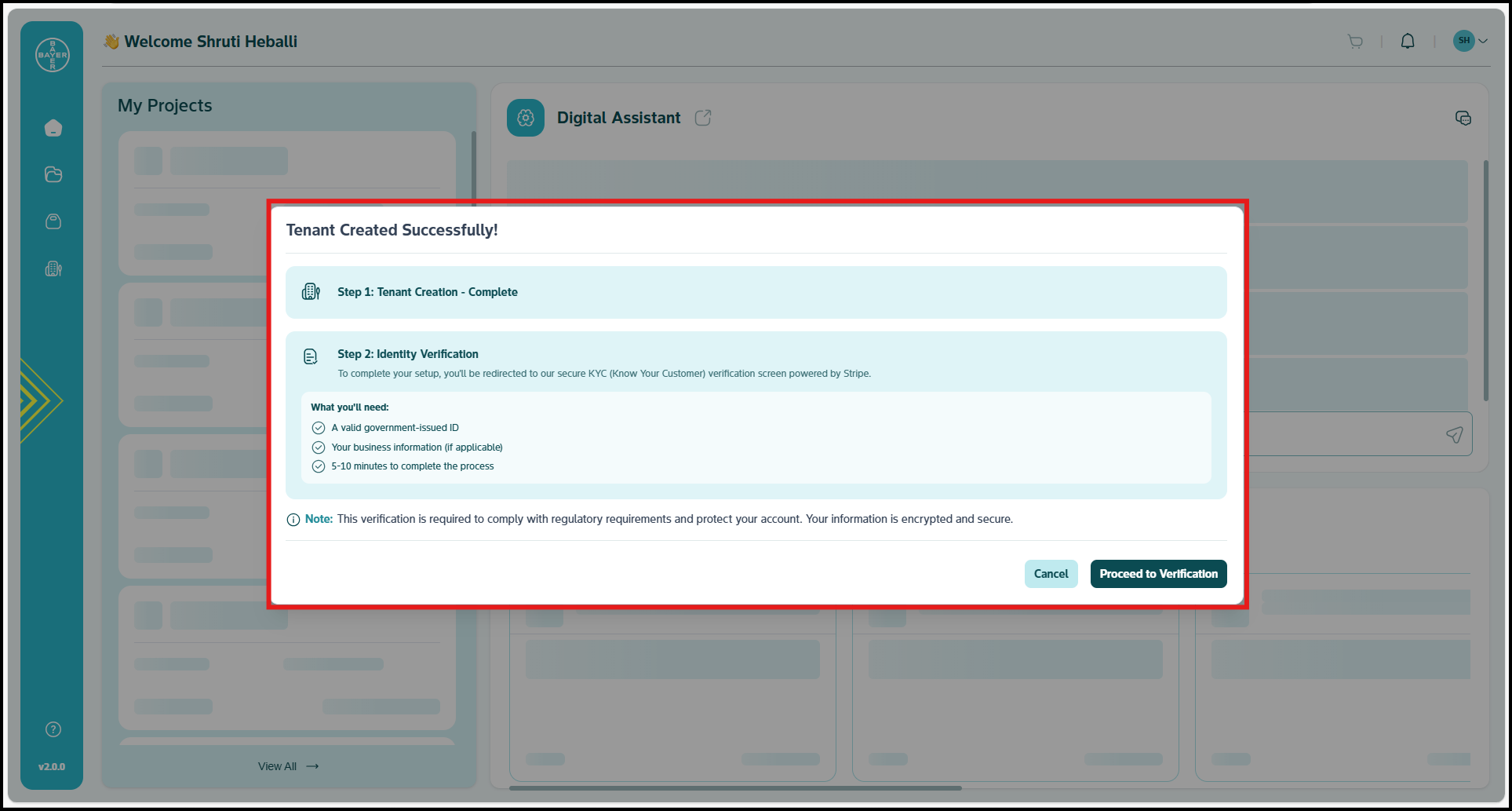
Upon successful submission of your tenant details, a confirmation will be displayed indicating that your tenant has been created.
-
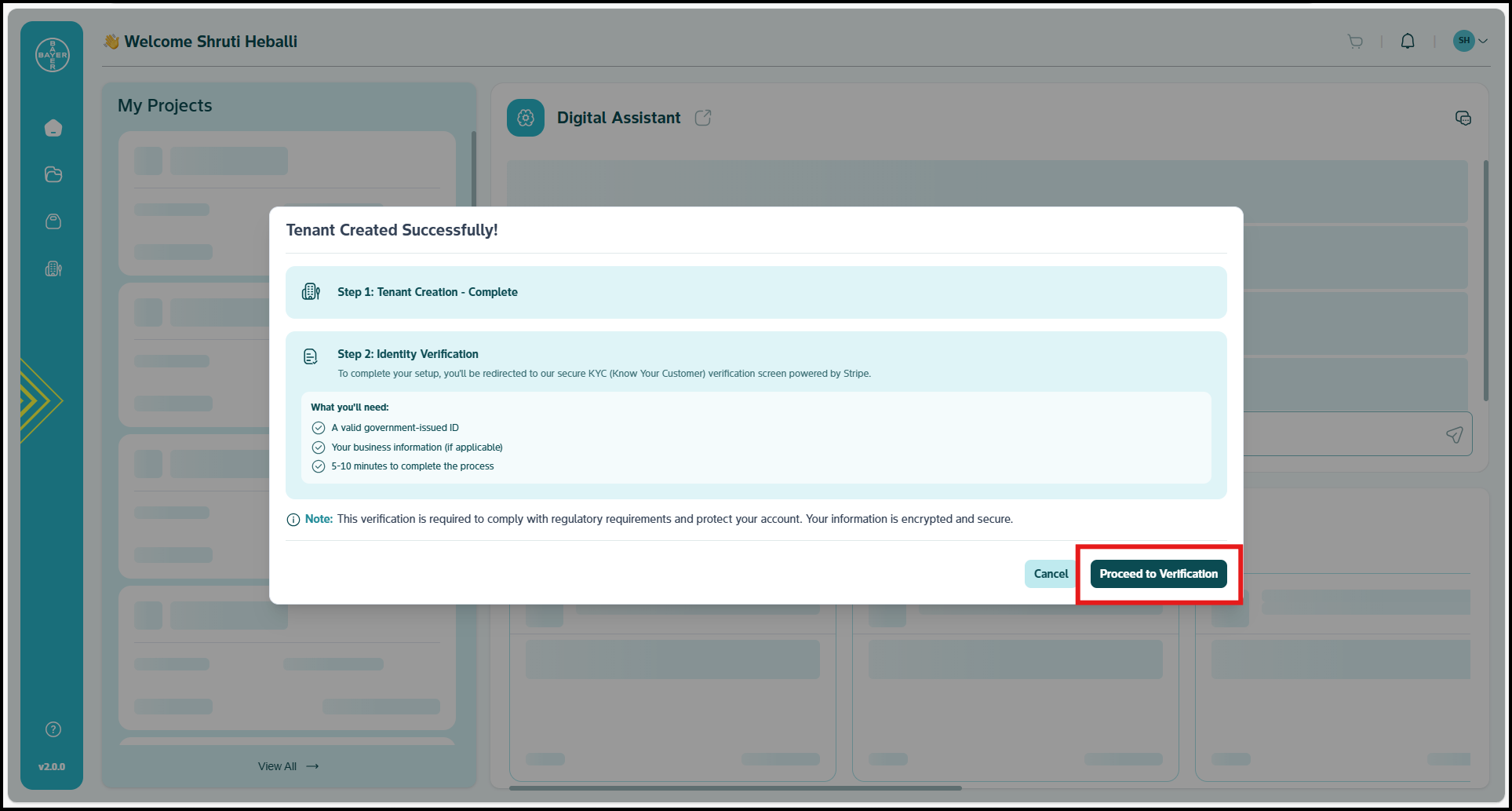
This confirmation will also present an option to proceed with the verification process. Click "Proceed to Verification" to continue.
Complete Your KYC Verification
To ensure compliance and security, completing your Know Your Customer (KYC) verification is a mandatory step. This process will be handled securely through Stripe.Click here for more details.
- Redirection to Stripe: You will be automatically redirected to a secure Stripe page to begin your KYC verification.
- Follow On-Screen Instructions: On the Stripe page, carefully follow the on-screen instructions to provide all necessary identification and business details.
- Return to AI Innovation Platform: Once your KYC verification is successfully completed on Stripe, you will be automatically redirected back to the AI Innovation Platform.
Upon successful KYC verification on Stripe:
- Your tenant will be fully onboarded.
- You will gain full access to all the features and capabilities corresponding to the license plan you purchased.