Managing Marketplace Orders
This page is exclusively for admins, designed to streamline the process of approving or rejecting user purchase requests.
Note
Direct Purchase: Tenant admins can bypass the approval process to purchase items directly when required.
Managing Purchase Requests
Access Your Cart
You can use your cart to review items that are awaiting approval, ensuring a seamless process for tracking requests.
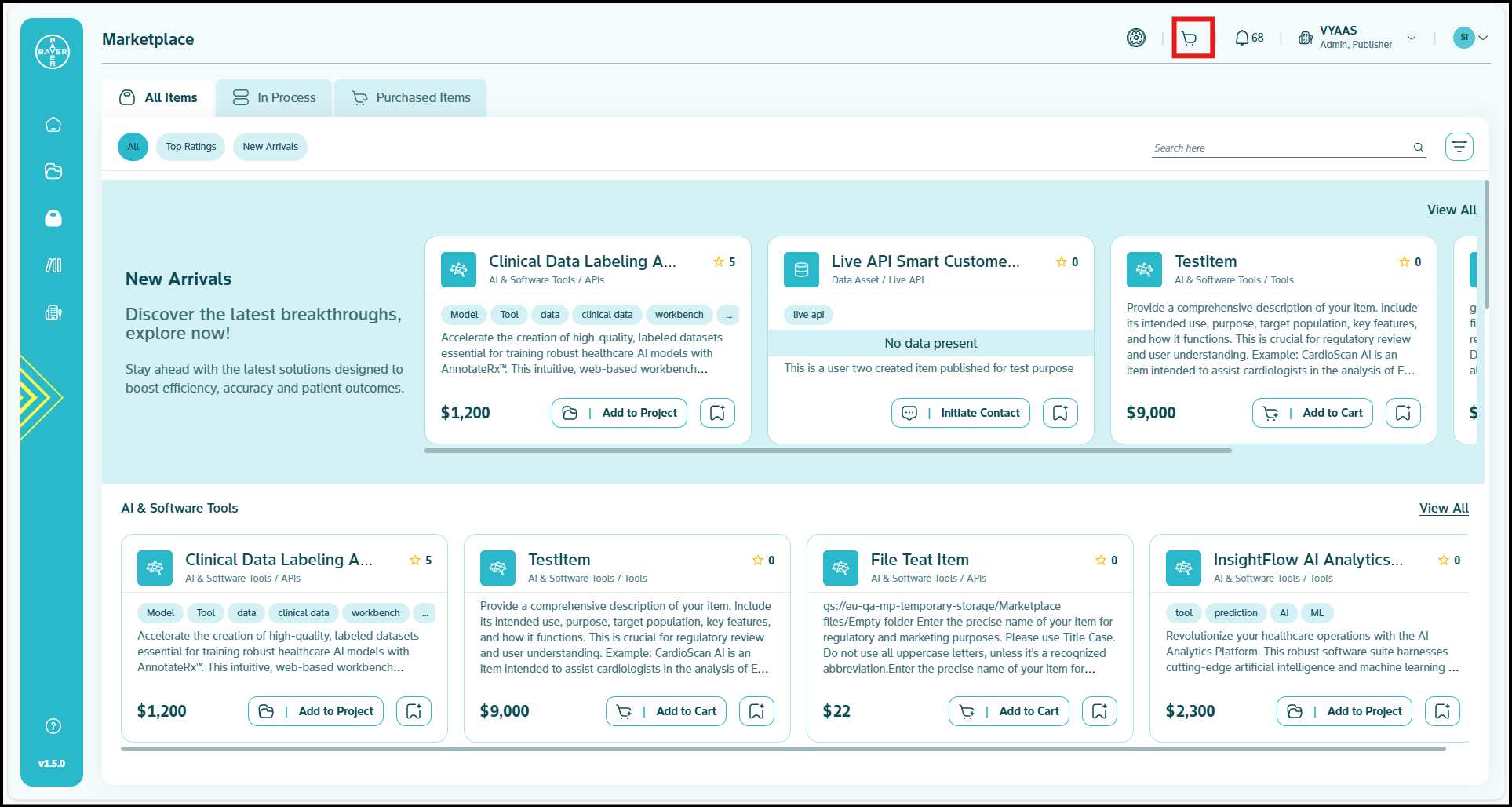
View Pending Approval Requests
You can view all pending purchase requests in the "Requests by Team" tab, making it easy to manage requests efficiently.
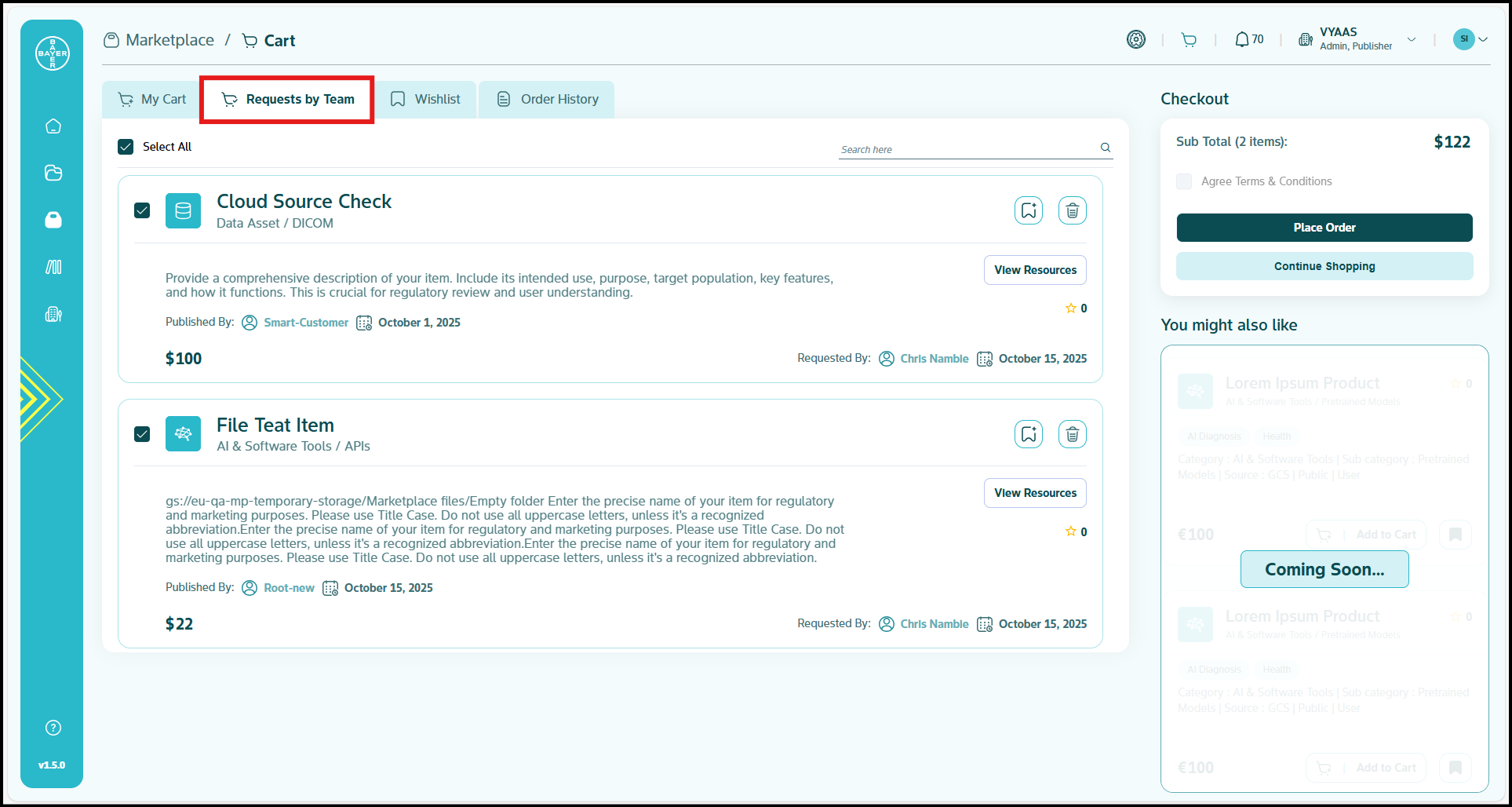
Review and Process Requests
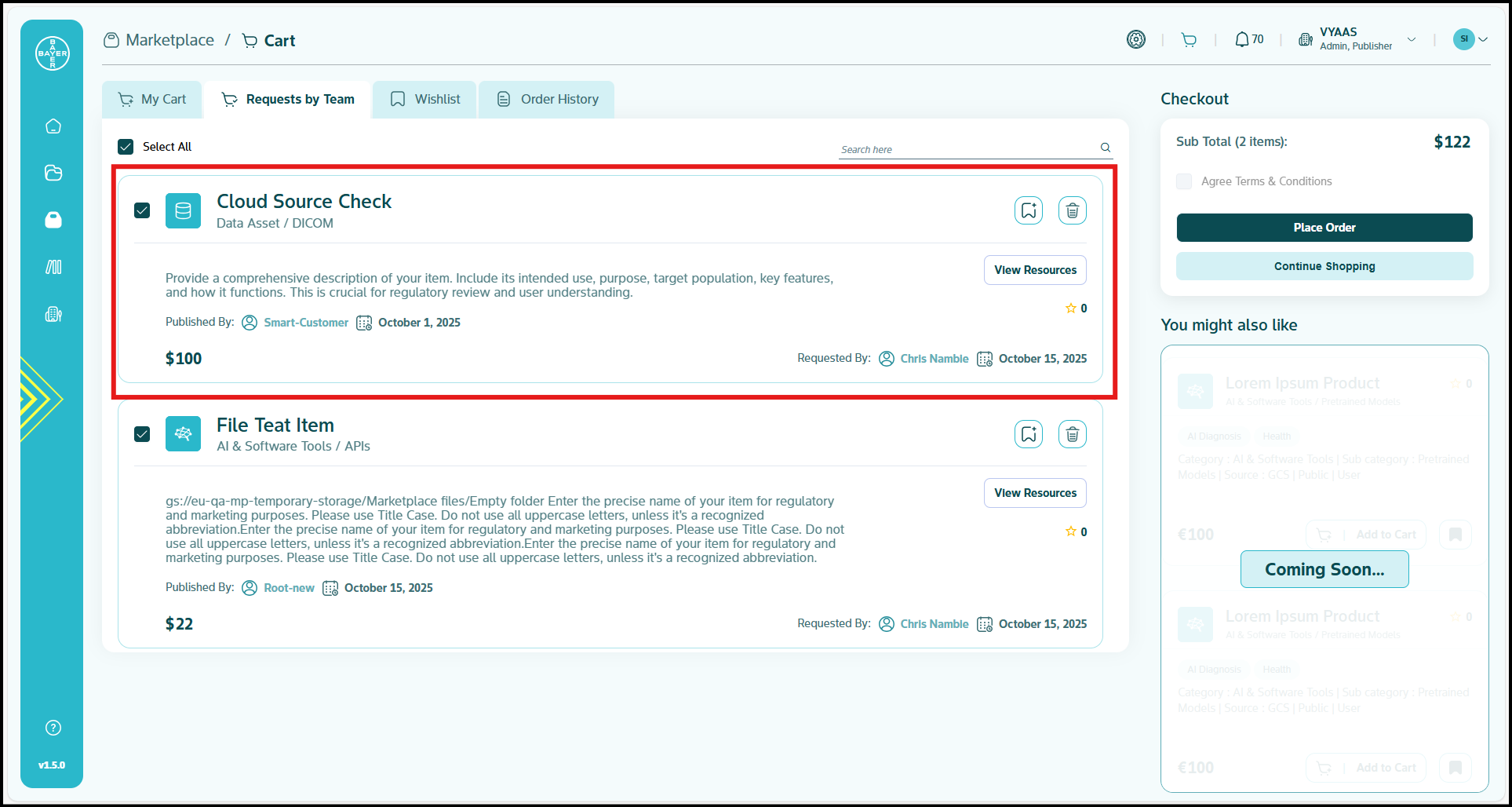
You can approve or reject purchase requests with just a few clicks.
Selection Options:
- By default, the "Select All" checkbox is enabled
- You can uncheck specific items to choose only the ones you want to approve
- If you select individual items manually, the "Select All" option will be automatically unchecked
Placing an Order
Once you have reviewed and approved an order, you will proceed with the "Place Order" action.
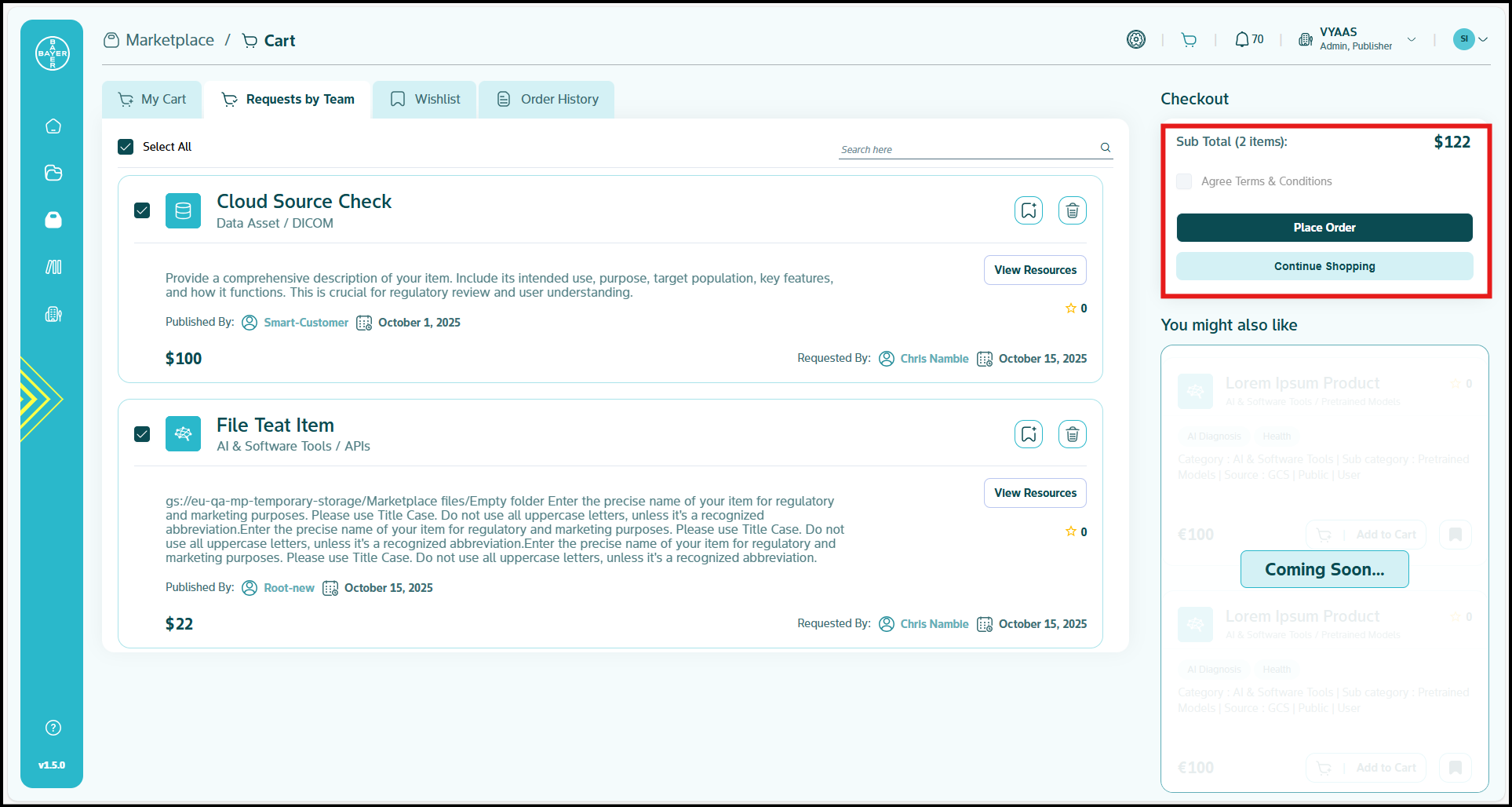
At this point, you have two primary payment options for the user:
1. Pay Now (Immediate Payment)
If you select "Pay now," the user will be immediately redirected to the Stripe portal to complete the payment.
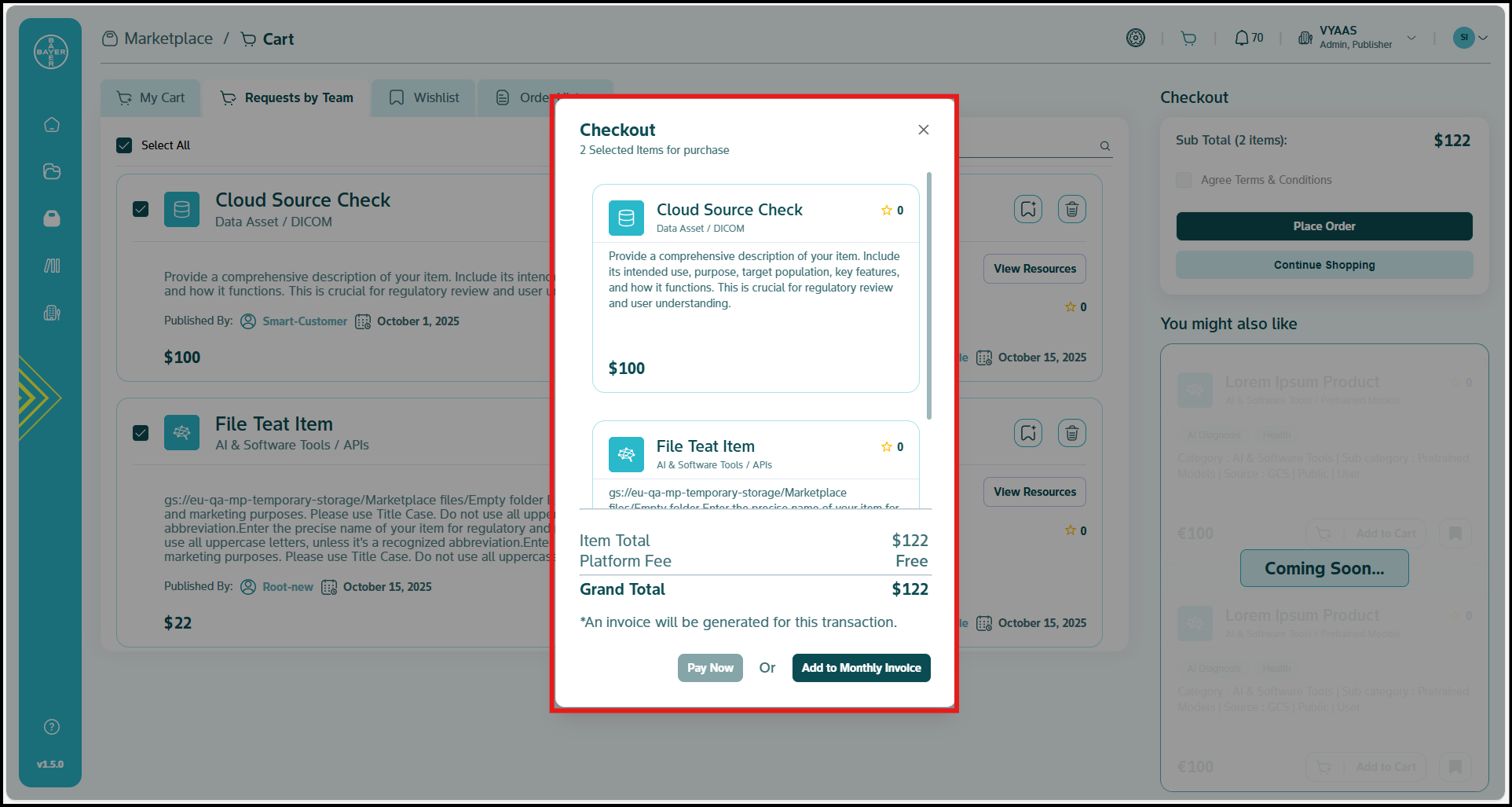
2. Add to Monthly Invoice (Deferred Payment)
If you select "Add to monthly invoice," the purchased items will be added as a line item to the user's existing Stripe account. An invoice will be generated accordingly, and the user will be redirected to the Stripe portal to view the updated invoice.
3. Payment Information
You can proceed with the payment process on the Stripe platform.(Click here for more details)
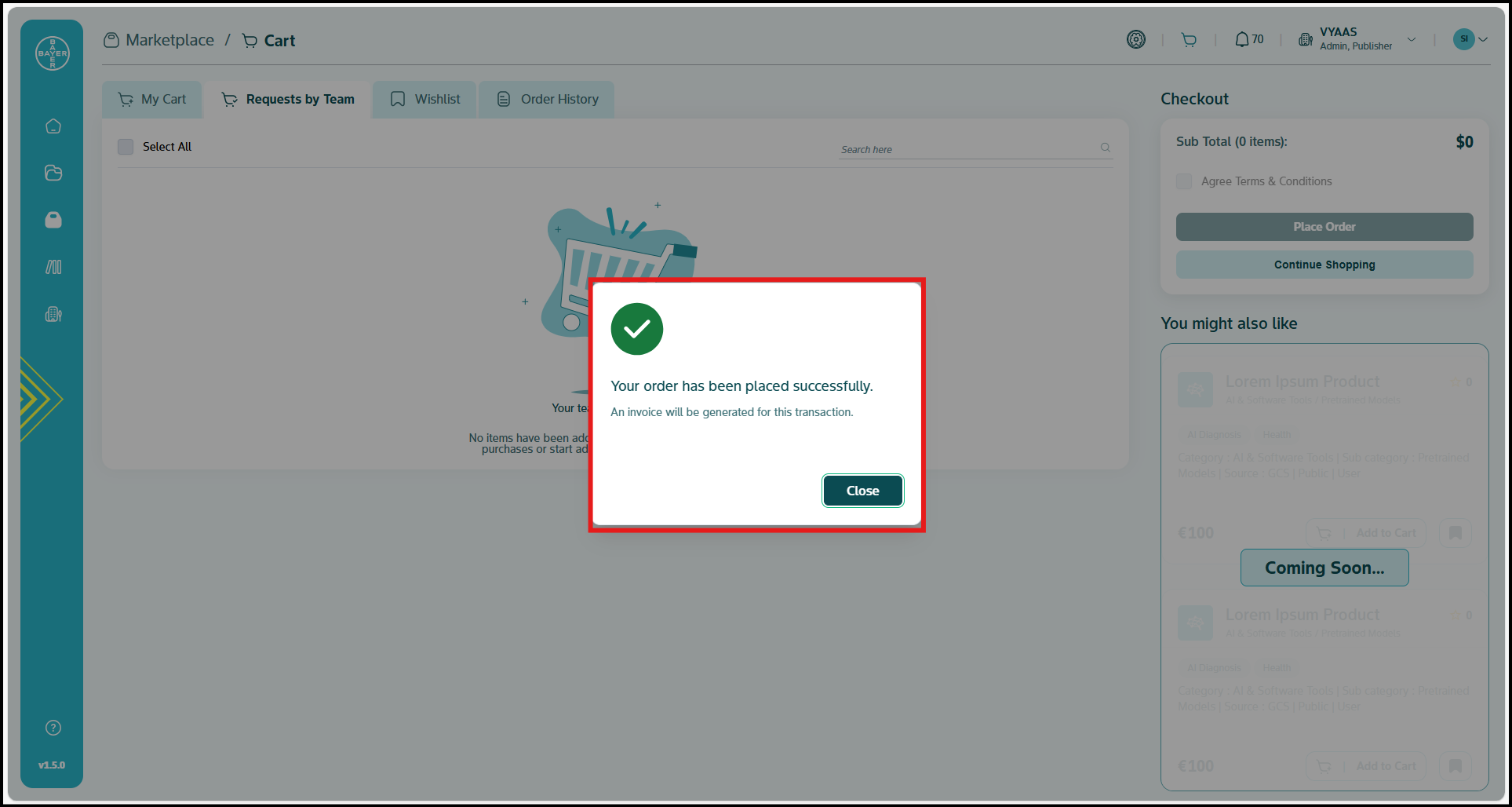
Order Confirmation
A confirmation popup will display: "Your order request has been placed successfully."
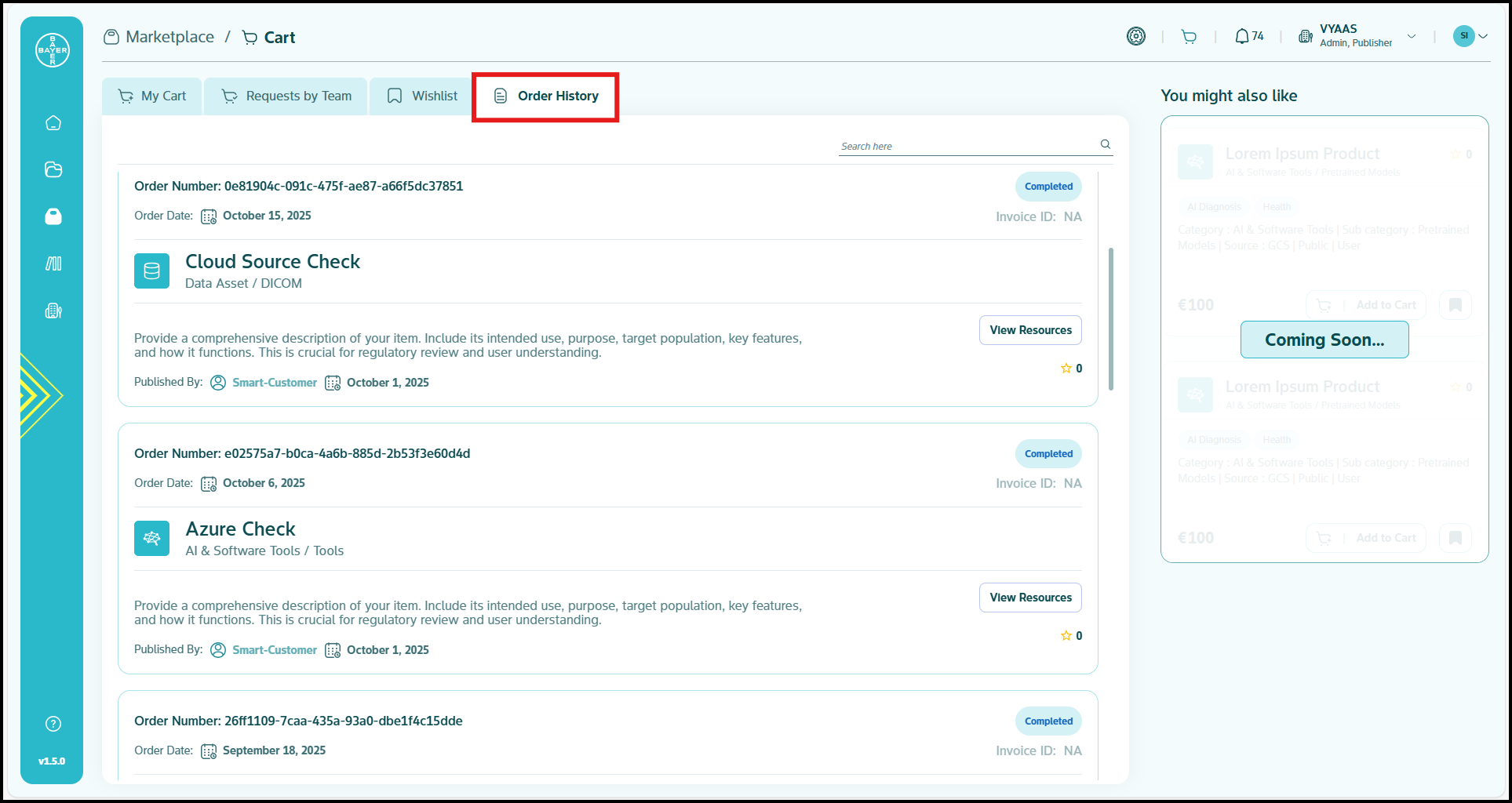
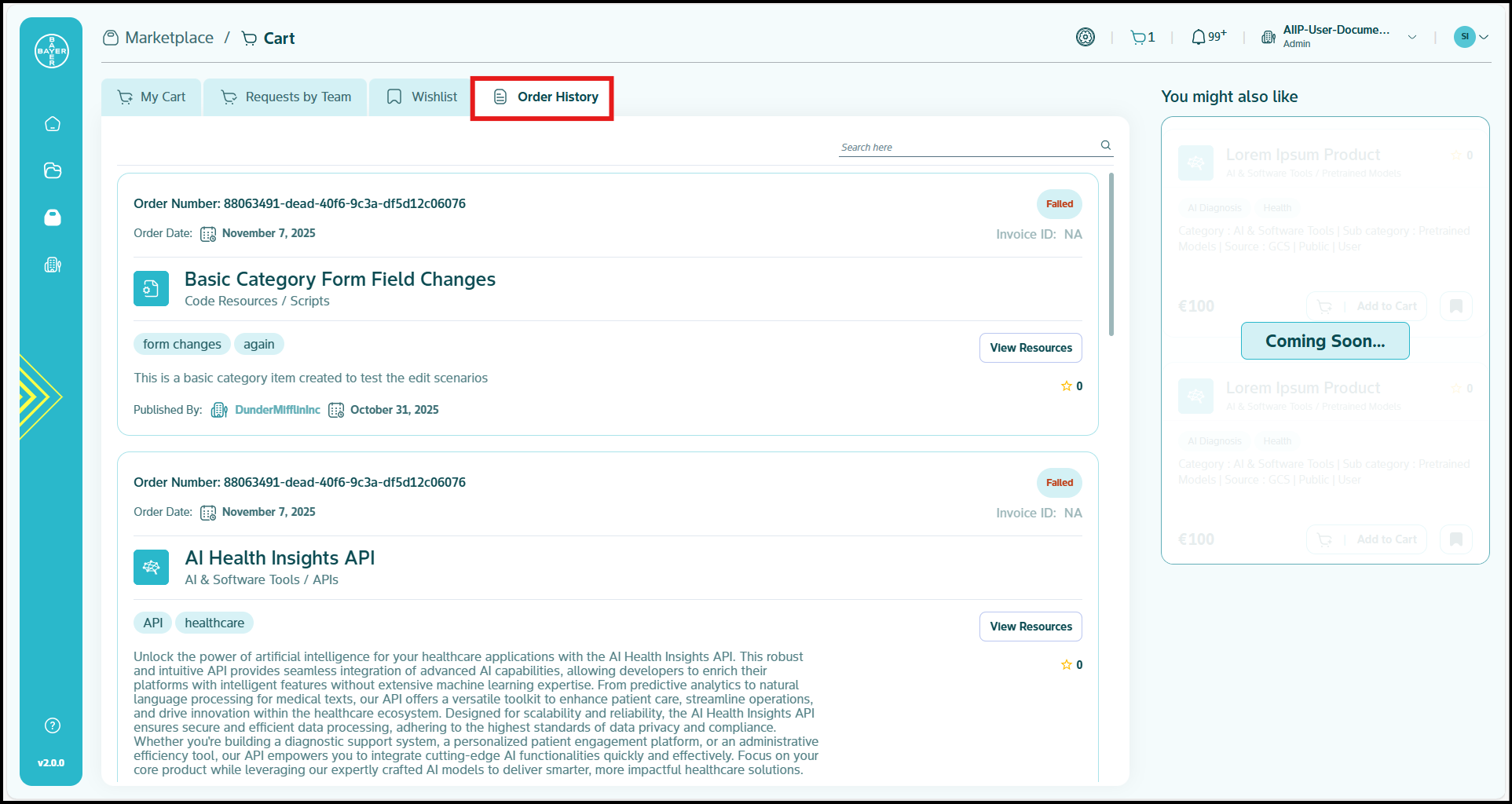
Order History
Once an order has been placed, it will be visible in your "Order History" tab inside the Shopping Cart. This shows all statuses of your purchased item. On clicking the entry, it takes you to the item's detailed view page.
Request Rejection Process
When you reject an item:
- The rejected item will be automatically added to the user's Wishlist
- The user will receive a notification about the rejection
- They can review the rejection and potentially resubmit with additional justification
Administrative Capabilities
Tenant admins can perform the following Marketplace management actions:
- Approve or reject team member purchase requests
- Review all pending requests from their tenant
- Make direct purchases bypassing the approval process
- Monitor team spending and Marketplace usage
- Access detailed order histories and analytics (coming soon)
Best Practices for Order Management
- Review purchase requests promptly to avoid delays in team productivity
- Consider budget implications when approving large or multiple requests
- Communicate with team members about approval policies and spending guidelines
- Use the direct purchase option judiciously for urgent business needs
- Regularly monitor Marketplace spending to maintain budget control